BlackBerry Development on Mac OS X
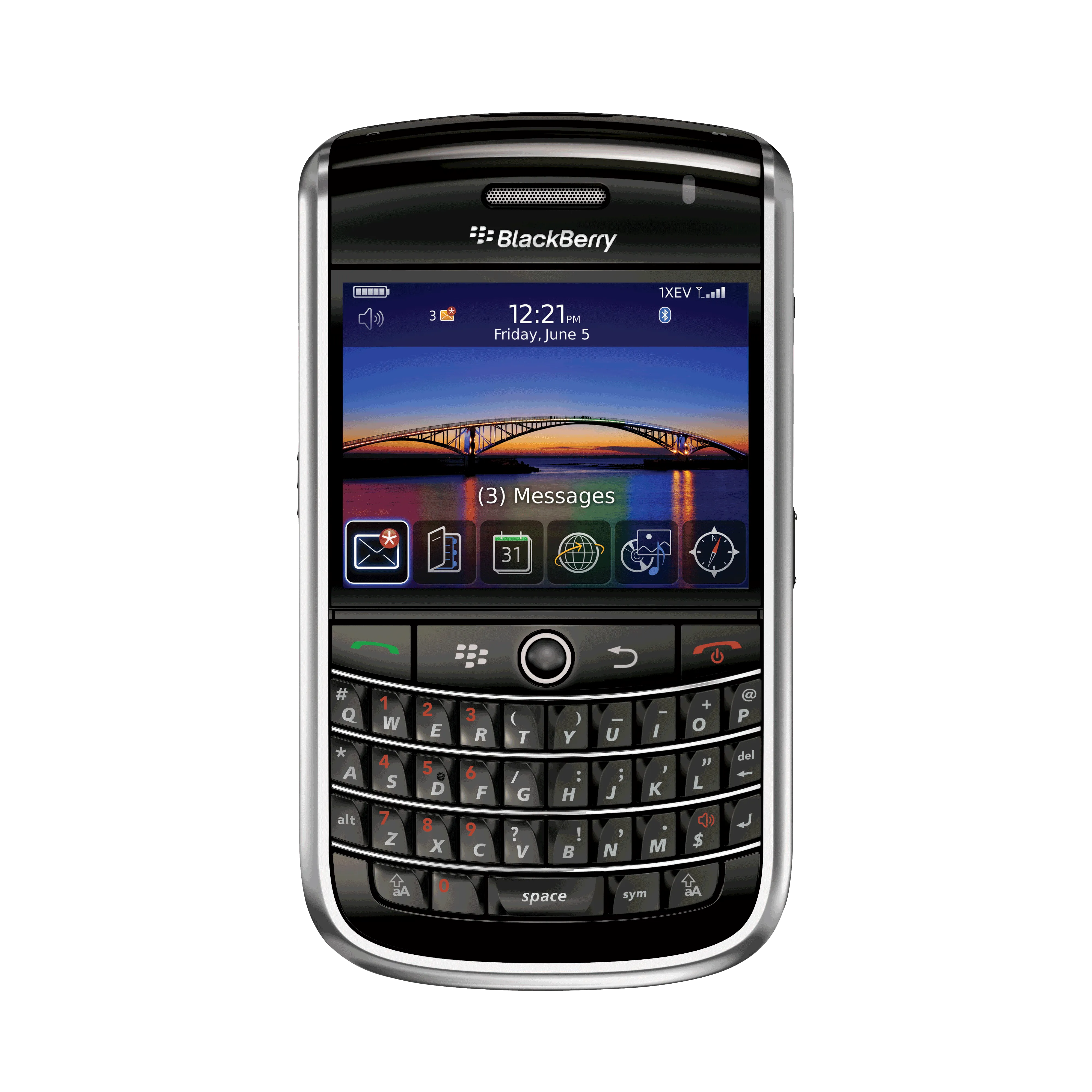
Recently, I started developing a new BlackBerry project at work. Naturally, I wanted to setup a build environment on my beloved MacBook Pro. BlackBerry development is Java based, and Java is cross-platform, and so I assumed it would be an easy setup. Was I wrong! It took a lot of research and trial-error; but in the end, I was successful and I wanted to share it here.
BlackBerry has an Eclipse plugin, but that plugin only works on Windows. Fortunately, it’s easy to manually setup eclipse to compile BlackBerry applications. And we can automate the whole process with bb-ant-tools. The more difficult part is to get the BlackBerry simulators run on Mac OS X. We’ll use wine for that. And we’ll use MacPorts to install wine.
Installing Eclipse, bb-ant-tools, and the JDE Plugin
First, download eclipse, unzip, and place the eclipse folder in your /Applications folder.
Then, create a workspace folder to hold your application projects and BlackBerry SDK. Personally, I prefer to keep my projects in ~/Development and I created a ~/Development/BlackBerry folder for my projects and a ~/Development/BlackBerry/SDK folder for the SDK.
You don’t have to mimic the above folder structures for your projects, nor you need to place the application in the /Applications folder, but I think this structure makes life easier for me.
Next, go to the BlackBerry development website and download the latest BlackBerry JDE component for eclipse, v4.7 as of this writing (you can download a previous version if you specifically need it).
We will not be installing the component package in a traditional way in eclipse though, as that requires a Windows environment unfortunately. Instead we’ll do a manual install, of sorts.
First unzip the downloaded package in Finder by double-clicking it. It will be unzipped into a folder of the same name. Go inside that folder and you’ll see two additional folders, features and plugins. Go inside the plugins folder and rename the net.rim.eide.componentpack4.7.0_4.7.0.46.jar file to net.rim.eide.componentpack4.7.0_4.7.0.46.zip file by changing the filename extension to zip (say yes when Finder asks you if you’re sure). Then, double click the new zip file you created and it will be unzipped into a folder of the same name. Move that folder into the ~/Development/BlackBerry/SDK folder you created earlier.
Now, fire up eclipse, select the ~/Development/BlackBerry folder as your workspace (and check ‘always use this folder’ checkbox) if you haven’t already done so, and then select Eclipse->Preferences menu to show the Preferences window.
Go to Java->Build Path->User Libraries and click New. Enter “BlackBerry 4.7” as the library name. Next click Add JARs and browse to your ~/Development/BlackBerry/SDK/net.rim.eide.componentpack4.7.0_4.7.0.46/components/lib folder and select net_rim_api.jar file. Also make sure to set the javadoc location to ~/Development/BlackBerry/SDK/net.rim.eide.componentpack4.7.0_4.7.0.46/components/docs/api folder so that you’ll get proper documentation popups in eclipse.

Next, download the latest version of BlackBerry Ant Tools and unzip it. Place the folder in your ~/Development/BlackBerry/SDK folder. Next, open Eclipse->Preferences again and then go to Ant->Runtime and click Add External JARs and browse to bb-ant-tools.jar file. Click OK and close all dialog windows.

You also need to download a Mac OS binary of the preverify.exe that is included in the BlackBerry JDE tools. The easiest way to do so is to download the mpowerplayer sdk, which includes the preverify binary for Mac OS X. Just copy the preverify executable to your ~/Development/BlackBerry/SDK/net.rim.eide.componentpack4.7.0_4.7.0.46/components/bin folder from the mpp-sdk/osx/preverify folder. You can discard the rest of the sdk files if you wish.
Finally, add the ~/Development/BlackBerry/SDK/net.rim.eide.componentpack4.7.0_4.7.0.46/components/bin to your $PATH by editing the ~/.bash_profile file as follows:
export PATH=${PATH}:/Users/aziz/Development/BlackBerry/SDK/net.rim.eide.componentpack4.7.0_4.7.0.46/components/binBuilding Your First BlackBerry App
You’re now ready to compile your first BlackBerry application on your Mac. Create a new Java project in eclipse (select File->New->Java Project). Name the project “HelloWorld”, and leave everything else untouched in the dialog box, and click Next. Select Libraries tab, click on JRE System Library and click Remove. Click Add Library, select User Library, click Next, check BlackBerry 4.7 (or whatever you named it above) and click Finish.
Create a new package, name it com.azizuysal.HelloWorld. Then create a new class and name it HelloWorldApp.java. Here is the source code:
package com.azizuysal.HelloWorld;

import net.rim.device.api.ui.UiApplication;
import net.rim.device.api.ui.component.LabelField;
import net.rim.device.api.ui.container.MainScreen;

public class HelloWorldApp extends UiApplication {
	public HelloWorldApp() {
		MainScreen screen = new MainScreen();
		screen.add(new LabelField("Hello, World!"));
		pushScreen(screen);
	}

	public static void main(String[] args) {
		new HelloWorldApp().enterEventDispatcher();
	}
}
Now, create a build.xml for bb-ant-tools. Go to File->New->Other, select XML and name it build.xml. Enter the following:
<project name="Hello World App" default="build">
	<taskdef resource="bb-ant-defs.xml" />

	<!-- rapc and sigtool require the jde.home property to be set -->
	<property name="jde.home" location="/Users/aziz/Development/BlackBerry/SDK/net.rim.eide.componentpack4.7.0_4.7.0.46/components" />

	<!-- directory of simulator to copy files to -->
	<property name="simulator.home" location="/Users/aziz/Development/BlackBerry/SDK/net.rim.eide.componentpack4.7.0_4.7.0.46/components/simulator" />
	<property name="src.dir" location="src" />
	<property name="build.dir" location="build" />
	<property name="cod.name" value="com_azizuysal_HelloWorld" />

	<target name="build">
		<mkdir dir="${build.dir}" />
		<rapc output="${cod.name}" srcdir="${src.dir}" destdir="${build.dir}">
			<jdp title="Hello World" />
		</rapc>
	</target>

	<target name="sign">
		<sigtool codfile="${build.dir}/${cod.name}.cod" />
	</target>

	<target name="clean">
		<delete dir="${build.dir}" />
	</target>

	<target name="load-simulator" depends="build">
		<copy todir="${simulator.home}">
			<fileset dir="${build.dir}" includes="*.cod,*.cso,*.debug,*.jad,*.jar" />
		</copy>
		<exec executable="/bin/sh">
			<arg value="-c" />
			<arg value="${simulator.home}/9530.sh" />
		</exec>
	</target>
</project>
Go to Window->Show View->Ant to show the ant view and drag build.xml file into this view. You can now run the ant scripts by double-clicking on them. Double-click the build script, and you should see a BUILD SUCCESSFUL message in your Console window in eclipse.

Running the BlackBerry Simulator on Mac OS X
As I said before, we will be running the simulator in wine and we’ll use MacPorts to install wine. So, first, download and run the appropriate MacPorts installer for your system. Once you finish installing MacPorts, open Terminal and type the following command to install Wine via MacPorts (If you get an error message when you try to run port commands, make sure your .bash_profile is updated appropriately at the end of the MacPorts installation and your PATH variable contains the path to your MacPorts installation. Also make sure that you have an active internet connection):
sudo port install wineAfter wine is installed, type the following to install the winetricks package which we’ll need in order to successfully run the BlackBerry simulator.
sudo port install winetricksYou’ll notice that MacPorts will also install quite a few more packages, as wine and winetricks depend on them.
We’ll need a shell script to run the simulator in wine easily, and the easiest way to create one is to copy the included windows batch file. Copy the ~/Development/BlackBerry/SDK/net.rim.eide.componentpack4.7.0_4.7.0.46/components/simulator/9530.bat file to 9530.sh file and edit it to read as follows:
#!/bin/bash
cd "`dirname $0`"
/opt/local/bin/wine fledge.exe /app=Jvm.dll /handheld=9530 /session=9530 /app-param=DisableRegistration /app-param=JvmAlxConfigFile:9530.xml /data-port=0x4d44 /data-port=0x4d4e /pin=0x2100000A
Save the file and set its execute permission:
chmod +x 9530.shNow, run winetricks and select gdiplus trick. Type in Terminal:
winetricksSelect gdiplus from the menu to install it. And finally, type the following to run the simulator in wine:
~/Development/BlackBerry/SDK/net.rim.eide.componentpack4.7.0_4.7.0.46/components/simulator/9530.shYou should now see the BlackBerry simulator running in wine:

You can also try double-clicking load-simulator script in eclipse now and you should be able to see your project compiled and installed in the simulator.
Bonus Tip: Installing Additional Simulators
If you want to install additional BlackBerry simulators, you can download them from the BlackBerry website and use the following commands to install them:
wine ~/Downloads/BlackBerry_Simulators_4.6.1.79_8350i.exe /extract
wine msiexec /a ~/Downloads/SimPackageInstaller.msi /qn
mv ~/.wine/drive_c/Program\ Files/Research\ In\ Motion ~/Development/BlackBerry/SDK/
Create a .sh script file as shown above to run the new simulator, and don’t forget to update your build.xml file if you want to launch your projects in the new simulator automatically.
I’ll follow up with a second post that shows how to run the debugger and a couple of other more advanced tricks.
Comments61 archived
Imported from Disqus when the comment system was retired. The conversation lives here as a static archive — no replies possible.
thanks for this, much appreciated.
Looking forward to your debugging post. Also any pointers on handling resource bundles (rhh)?
This is great and comprehensive tutorial on how to get up and running generating Blackberry apps on a Mac. However, I'm getting errors when I attempt to run the load simulator. Any suggestions?
@JEFF: Thanks, I hope to post it soon. I've been extremely busy lately.
@ROB: What type of errors are you getting? If you can give some details, I may be able to help.
Love to see the next article for this on debugging and advanced tricks.
This was quite helpful. I too am looking forward to the post on debugging. It is the one thing I have not gotten to work yet.
Could you let me know where to find the .bash_profile file. I've searched for invisibles in /etc/ and /private/ but not found.
Joe
@JOE: It is in your home folder, but if it is not, you can create it there yourself. Start Terminal, type:
touch ~/.bash_profile
@azizuysal - thank for the guide. i keep getting a 507 error loading software error. any idea what that is from? also..i'm running snow leopard if that makes a difference.
azizuysal, when i doble click in build, show mee in windows console error :( i check again all setting .
Buildfile: /Users/Hugo/Development/BlackBerry/HelloWorld/build.xml
[taskdef] Could not load definitions from resource bb-ant-defs.xml. It could not be found.
build:
BUILD FAILED
/Users/Hugo/Development/BlackBerry/HelloWorld/build.xml:10: Problem: failed to create task or type rapc
Cause: The name is undefined.
Action: Check the spelling.
Action: Check that any custom tasks/types have been declared.
Action: Check that any / declarations have taken place.
2 Hugo:
try using ant 1.7+ . I had ant 1.6 and the same error. ;]
So near but yet so far. Got all the way to building the script but failed. The xml couldn't create the src folder (created all other folders/files).
I'm sure I got all users paths correct.
/Users/joemorgan/Development/BlackBerry/HelloWorld/src/com/azizuysal/HelloWorld/build.xml:16: /Users/joemorgan/Development/BlackBerry/HelloWorld/src/com/azizuysal/HelloWorld/src not found.
Any idea.
Have you tried running the SDK on a virtual machine install? I'm just about to start and while it's clear you've got it running on the mac I was curious if I'd be wasting my time getting going on the Windows VM to save all the configuration. Thanks! Adam
I'm running Leopard on a Power-PC G5. I've just read that Wine is only compatible with Intel based Macs!! Uh oh. Is there a way around this? Apart from buying a new Mac...
Hi, I ve been trying to install wine by running the code above, however, i got the error "Error! Wine port not found", even though I have installed macports already. Is there any way to fix this please? Very appreciated. Thank you
Did you do this on a 32 or 64 bit machine? I have got everything working except when I run the fledge.exe app it comes up with a black screen where the OS display of the device should be.
I have used both pre-built versions of wine as well as building on my machine (64 bit MacBook running Snow Leopard).
Ideas?
OK. I got it to load but the simulator shows "No Java loaded. Please reload your device." Ideas?
Great article, evertything works like a charm!
Big thakns to you, you save my day.
Hi, its a very vool guide but im getting a warning in the "wine" step. When im in the terminal I put this :
macintosh-4:~ fernandocortes$ sudo port install wine
and the result is this :
---> Computing dependencies for wineError: Unable to execute port: can't read "build.cmd": Failed to locate 'make' in path: '/opt/local/bin:/opt/local/sbin:/bin:/sbin:/usr/bin:/usr/sbin' or at its MacPorts configuration time location, did you move it?
I already install the MacPorts.
What should i do?
@Fernando C.
Sounds like you don't have Xcode installed. You can install it from your OS disk, or download it from Apple's website. If it's already installed, try re-installing.
Thanks, i though i had xcode, im gonna install it. ;)
excelent! thanks a lot
Hi and thans for these great tutorial, I have a problem when i launch the simulator i got the message : "No Java loaded. Please reload your device.", do you know how to fix that?
Thanks again.
Excellent article, I was able to easily follow this and substitute in steps for IntelliJ.
Great article, thanks! Everything went smoothly, except for actually getting the simulator running. Each time I try to run it, I get an error "Bad value "0x2100000A" for option /pin. Try "fledge /help for command line help".
Any thoughts?
I'd been trying to do this for some time but I can't get the sim to load properly for whatever reason. I tried following similar instructions on another blog that detailed running the simulator on Linux. I just tried again following your instructions and while the 8330 sim loads, the body of the sim is a solid black rectangle while the screen appears normal and responsive. I may be missing some GUI dll thing or have some bad config somehow. I also tried loading the 9530 Storm sim using the 5.0 OS and I get errors.
I seem to be having thesame problem Lee B is having. I am running on a 64Bit MacBook Pro running Leopard 10.5.X. The 9530 doesn't load at all as I geet:
cliffmac:9530-Verizon cliftoncraig07$ 9530-Verizon.sh
fixme:win:EnumDisplayDevicesW ((null),0,0x33ed40,0x00000000), stub!
fixme:file:MoveFileWithProgressW MOVEFILE_WRITE_THROUGH unimplemented
X Error of failed request: BadRequest (invalid request code or no such operation)
Major opcode of failed request: 128 (Apple-DRI)
Minor opcode of failed request: 7 ()
Serial number of failed request: 4685
Current serial number in output stream: 4685
cliffmac:9530-Verizon cliftoncraig07$ pwd
Hi,
I am a fresher to this platform. This is very useful for me.
Thanks a lot.
But unfortunately I am getting the error when build the file(build.xml).
I have followed the steps which are specified in the article.
THE ERROR : jde home must be directory.
Kindly help me. Thanks in advance
Regards,
Giri.
Hi,
I solved the jde home must be a directory error. :).... But
I am getting the new exception when I execute the X11. I got the following exception
Exception :
Warning: locale not supported by Xlib, locale set to C
Executing curl -L -o WindowsXP-KB975337-x86-ENU.exe -C - --header Accept-Encoding: gzip,deflate http://download.microsoft.c...
curl: (7) couldn't connect to host
Note: command 'curl -L -o WindowsXP-KB975337-x86-ENU.exe -C - --header Accept-Encoding: gzip,deflate http://download.microsoft.c... returned status 7. Aborting.
Warning: locale not supported by Xlib, locale set to C
Could you please help me ?
Thanks in advance
Regards,
Giri
Excellent instructions. I have an issue though on my MacBookPro. The Simulator is throwing thousands of errors, and never opens an OS on the phone. It looks like it's unable to parse the XML files properly. I suspect this had something to do with the fact that the current wine version didn't work on Mac OSX 10.6.2, and they recommended installing wine-devel. This forced a reload of a lot of the XML libraries, and there seems to be something subtle that makes the Mac unhappy with the encoding of the provided XML parts of the simulators. Has anyone found a work around to this?
thanks, it's very helpful and fire up ;)
MacPorts are installed and after i call sudo port install wine come this:
"Error: wine 1.0.1 is not compatible with Mac OS X 10.6 or later. Until wine 1.2 is released, please install wine-devel instead.
Error: Target org.macports.fetch returned: incompatible Mac OS X version
Error: Status 1 encountered during processing.
Before reporting a bug, first run the command again with the -d flag to get complete output."
i have macbook pro with version 10.6.2
sudo port install wine-devel does not work too:
Error: You cannot install wine-devel for the architecture(s) i386 because
Error: its dependency expat only contains the architecture(s) x86_64.
Error:
Error: Try rebuilding expat (and all its dependencies) with
Error: the +universal variant by running
Error:
Error: sudo port upgrade --enforce-variants expat +universal
ideas? thanks
how long before you publish the debug post?
please anybody help!
Thanks for doing this tutorial. After a full day of downloading and tweaking, I'm getting stuck at the very last step.
I'm running Snow-Leopard which doesn't seem to run winetricks. I installed Wine Bottler and when I try to Create the Custom Prefix. It keeps failing on the "exe" processing.
I realized that the fledge.exe command in the modified .sh file calling for, doesn't exist in WineBottler.
If you could help, that would be awesome! I'm soooo close, after so much work.
I got error while running the simulator. The blackberry simulator was run thought but the BB OS doesn't run. I got error 'Reload Software 507' see screenshot here: http://twitpic.com/12rquy
Please let me know if you can help
hi azizuysal,
thank you for your great tutorial.
i just want to add tips to install msxml3 on winetricks after install gdiplus.
hope it's help someone that getting problem to load simulator.
When i run the simulator using the 9530.sh script, i see the following error dialog box:
Bad value 0x2100000A for option /pin. Any thoughts?
Loving this but like a previous user, I have no idea where to put this.....export PATH=${PATH}:/Users/aziz/Development/BlackBerry/SDK/net.rim.eide.componentpack4.7.0_4.7.0.46/components/bin />
the answer above to the previous user was still too vague. What "home" folder? Can you please give more details where to put this message? I'm getting the error of "[rapc] I/O Error: preverify: not found" and it must be because I didn't perform that one task????
Thank you!
@Kelly
You need to put that line in the .bash_profile file, which is a hidden settings file in your home folder (located at /Users/). If you do not know what a home folder is, I think you should read up on using Mac OS X and Unix/Linux before attempting all this (see http://docs.info.apple.com/....
Hi, I have been trying to install wine by running the code above, ir, i got the error “Error! Wine port not found”, even though I have installed macports already. Is there any way to fix this please? Thank you
For the error 507, you need to install with winetricks the Microsoft XML Core server (msxml). Version 6.0 will do.
The reason behind all this is that without the XML core services, it cannot parse the xml configuration file.
Thanks for the tutorial!
I'm on snow leopard and ran into a couple issues.
1. When I run winetricks, I get an error that the current user does not own /PATH_TO_WINE_HOME/.wine - it's owned by root since we installed with sudo. I worked around this by recursively chowning .wine. I also had to recursively chown .local. This felt wrong, but it seemed to work - I was able to run winetricks afterwards.
2. I was getting the 507 error when the simulator loaded, but I saw that some other users posted that the way to fix this is to install msxml3 or msxml6. I installed msxml6, but am continuing to get the 507.
excellent post!!, it helped me a lot...
on 10.6.2 installed perfectly with "+universal" key and developer version of the wine "wine-devel", simulator working, but doesn't start any midlets :(
Great tutorial. Thank you. Now just got to wait 3hrs and 37 minutes for XCode to download so I can get macports running.
Grrrrrr.
;)
This may be a repeat of some other feedback items, but just wanted to make sure several common errors I saw had some feedback:
1) Those getting the "pin" error when executing the shell script, I would recommend starting from an empty file instead of copying the batch file. The MSDOS characters seem to be what's causing the error.
2) To echo "abuharsky", if your on Snow Leopard, install wine-devel...however, its important to use the +universal key. There are instructions I found here: http://davidbaumgold.com/tu...
3) Winetricks currently has the wrong MD5 hash so MacPorts will not install. You can edit the Portprofile to have the new hash files to force a download. Run "sudo ports -d install winetricks" this gives you a big debug dump. Near the top it has the path to the Portfile and near the bottom it lists the expected and distribution hash keys. You'll have to replace the checksum lines in Portprofile. Do this at your own risk as the files may have been hacked...but there is also a long running history of checksum issues with winetricks.
Anyway, hope this helps future people.
Now, I'm having an issue getting msxml6 to install (to solve the 507 error) as I get and error accessing "c:\winetrickstmp\override-dll.reg". If anyone has any ideas on this, let me know. Run from the command line its saying Permission Denied accessing this file (which does not exist). There don't seem to be any permissions issues with the directory in question.
Barney
I've gone through all of the steps in your great tutorial (although I had to install wine-devel with +universal, and had to install all of the dependencies individual in like fashion).
However, when I run a simulator script I get a black rectangle with a gray screen and the error "Device Error (DE365) - Blackberry Smartphone" "Branding Init: invalid cookie" with "Exit", "Ignore", "Ignore All DE365s", and "Save log..." buttons. A google search lead to a result suggesting that "clean.bat" be run, but I'm not too great at DOS->SH translation. Has anybody else run into this issue? Do you have a clean.sh you've created? Or did you do a reinstall (and of what) to get the simulator to run correctly?
Here's a dump of the console output when I run the simulator for BB8830:
./8830.sh
fixme:file:MoveFileWithProgressW MOVEFILE_WRITE_THROUGH unimplemented
fixme:win:EnumDisplayDevicesW ((null),0,0x32eb40,0x00000000), stub!
fixme:win:EnumDisplayDevicesW ((null),0,0x32eb40,0x00000000), stub!
fixme:dciman:DCICreatePrimary 0x6e8 0x21e32ac
fixme:wave:AudioUnit_SetVolume independent left/right volume not implemented (1.000000, 1.000000)
fixme:dmime:IDirectMusicPerformance8Impl_InitAudio (0x1fd858, 0x0, 0x0, 0x10062, 1, 64, 3f, 0x0): to check
fixme:wave:wodDsCreate DirectSound not implemented
fixme:wave:wodDsCreate The (slower) DirectSound HEL mode will be used instead.
fixme:dmime:IDirectMusicPerformance8Impl_InitAudio return dsound(0x1fd6b0,0)
fixme:dmime:IDirectMusicPerformance8Impl_Init (iface = 0x1fd858, dmusic = 0x0, dsound = 0x1fd6b0, hwnd = 0x10062)
fixme:dmime:IDirectMusicPerformance8Impl_CreateStandardAudioPath (0x1fd858)->(1, 64, 0, 0x1fda24): semi-stub
fixme:dmime:IDirectMusicAudioPathImpl_IDirectMusicAudioPath_Activate (0x21e610, 0): stub
fixme:dmime:IDirectMusicPerformance8Impl_AddNotificationType (0x1fd858, GUID_NOTIFICATION_SEGMENT): stub
fixme:dmime:IDirectMusicPerformance8Impl_SetNotificationHandle (0x1fd858, 0x1a4, 0x0): stub
err:dmloader:IDirectMusicLoaderImpl_IDirectMusicLoader_SetObject : could not attach stream to file
c^CG5:simulator michaelhoga./8830.shfixme:file:MoveFileWithProgressW MOVEFILE_WRITE_THROUGH unimplemented
fixme:win:EnumDisplayDevicesW ((null),0,0x32eb40,0x00000000), stub!
fixme:win:EnumDisplayDevicesW ((null),0,0x32eb40,0x00000000), stub!
fixme:dciman:DCICreatePrimary 0x6e8 0x21e32ac
fixme:wave:AudioUnit_SetVolume independent left/right volume not implemented (1.000000, 1.000000)
fixme:dmime:IDirectMusicPerformance8Impl_InitAudio (0x1fd878, 0x0, 0x0, 0x2016e, 1, 64, 3f, 0x0): to check
fixme:wave:wodDsCreate DirectSound not implemented
fixme:wave:wodDsCreate The (slower) DirectSound HEL mode will be used instead.
fixme:dmime:IDirectMusicPerformance8Impl_InitAudio return dsound(0x1fd6d0,0)
fixme:dmime:IDirectMusicPerformance8Impl_Init (iface = 0x1fd878, dmusic = 0x0, dsound = 0x1fd6d0, hwnd = 0x2016e)
fixme:dmime:IDirectMusicPerformance8Impl_CreateStandardAudioPath (0x1fd878)->(1, 64, 0, 0x1fda44): semi-stub
fixme:dmime:IDirectMusicAudioPathImpl_IDirectMusicAudioPath_Activate (0x21e630, 0): stub
fixme:dmime:IDirectMusicPerformance8Impl_AddNotificationType (0x1fd878, GUID_NOTIFICATION_SEGMENT): stub
fixme:dmime:IDirectMusicPerformance8Impl_SetNotificationHandle (0x1fd878, 0x19c, 0x0): stub
err:dmloader:IDirectMusicLoaderImpl_IDirectMusicLoader_SetObject : could not attach stream to file
ANY help would be appreciated. Thanks for your time.
Great tutorial. Thanks.
I got all the way to installing gdiplus, but then I am stuck. I cant seem to get the simulator started.
In terminal I typed:~/Applications/eclipse/BlackBerry/SDK/net.rim.eide.componentpack4.5.0_4.5.0.16/components/simulator/9530.sh
GOT >>No such file or directory
then i typed: wine /Applications/eclipse/BlackBerry/SDK/net.rim.eide.componentpack4.5.0_4.5.0.16/components/simulator/9530.sh
GOT >>wine: could not load L"Z:\\Applications\\eclipse\\BlackBerry\\SDK\\net.rim.eide.componentpack4.5.0_4.5.0.16\\components\\simulator\\9530.sh": Bad EXE format for
So how do i get the simulator to open up?
Please Help.
If you are still getting the 507 error after installing msxml6, try to save the corresponding emulator xml file (in my case 9530.xml) with LF line endings. In TextMate, you go open the xml file, then Save As... and choose the LF (recommended) Line Endings.
I'm stuck right out of the gate. When I go to the BB site to download the latest JDE component for eclipse all that I can find is a .exe file and not a .zip file so I can't unzip the package as you indicate in your instructions. is there somewhere else I can go to download the .zip file instead of the full install package that Rim provides?
This is an excellent article! Looking to see an update for the latest SDk that RIM has made.
Most of the issues those in the 2010 year is due to the changes in Eclipse along with the JDK/SDK that RIM has updated several times to support OS 5.
RIM is currently working hard at going natively to support Eclipse then also to support OS X :D
Giri, how did you solve the error??:
BUILD FAILED
.../hello/build.xml:13: jde home must be a directory
Help!
Hi,
the JDE downloads I find are .exe files. So how am I to do the above with an .exe? am I looking in the right place.
hi! I got to compile the build.xml but it throws this errors:
Buildfile: /Users/admin/Documents/Development/BlackBerry/HelloWorld/build/build.xml
build:
[rapc] Compiling 1 source files to com_azizuysal_HelloWorld.cod
[rapc] Warning!: No entry points found
[rapc] Warning!: No definition found for exported static routine: .main(String[])
BUILD SUCCESSFUL
Total time: 1 second
Any clues? Thank youuuu!
Ohh by the way: I had to manually put my build.xml into the src folder, which I had to create it, too.
Awesome... finally I got the BB emulator working on Ubuntu. Thanks for sharing.
great work! i expect you have time to work in 5 blackberry version because development in windows is more just... slow
Ok, so this has been a very educational experience for me. But, like others, I have my own issues getting the simulator to run. I have gotten my build environment up and running on OS/X 10.6.4 64-bit Intel Core 2 Duo with 4G RAM. I have built the HelloWorld program successfully in Eclipse using the bb-ant-tools. I have installed wine-devel and winetricks using MacPorts and setup gdiplus in winetricks. When I attempt to run a simulator, I get the following output and the program hangs:
michael-kurtzs-macbook-pro:simulator mkurtz$ ./8520.sh
fixme:win:EnumDisplayDevicesW ((null),0,0x32ec80,0x00000000), stub!
fixme:win:EnumDisplayDevicesW ((null),0,0x32ec80,0x00000000), stub!
Any thoughts on what to try from someone out there?
Thanks for this tutorial, it helped me a lot.
If anyone got the emulator running on MacOS X, can see de device but the device's screen stays black no matter what, you'll probably want to upgrade your X.org with XQuartz: http://xquartz.macosforge.o...
Also, I find it better to start the emulator by running the \components\bin\JDWP.jar. With it you can even run it in debug mode.
now eclipse blackberry plugin for mac!
just google it :)
Great Tutorial Thanks a lot ;)
Thanks very much for your post on Blackberry development.
I managed to find a fix for the '507 error loading software error' that may be of use to others who find their way here.
Through trial and error I noticed that the *.alx files that were not being correctly parsed corresponded with the ISO-8859-1 character encoding. I was able to work around this by converting them to UTF-8 e.g.
I got this error: wine: cannot find L"C:\\windows\\system32\\fledge.exe"
In my ../components/simulator/ folder ,there's a file named "fledge" but it has no extension. I changed it to .exe but then again it says "This version of fledge.dat does not match the version of fledge.exe". What am I missing?